Filter and voice controls
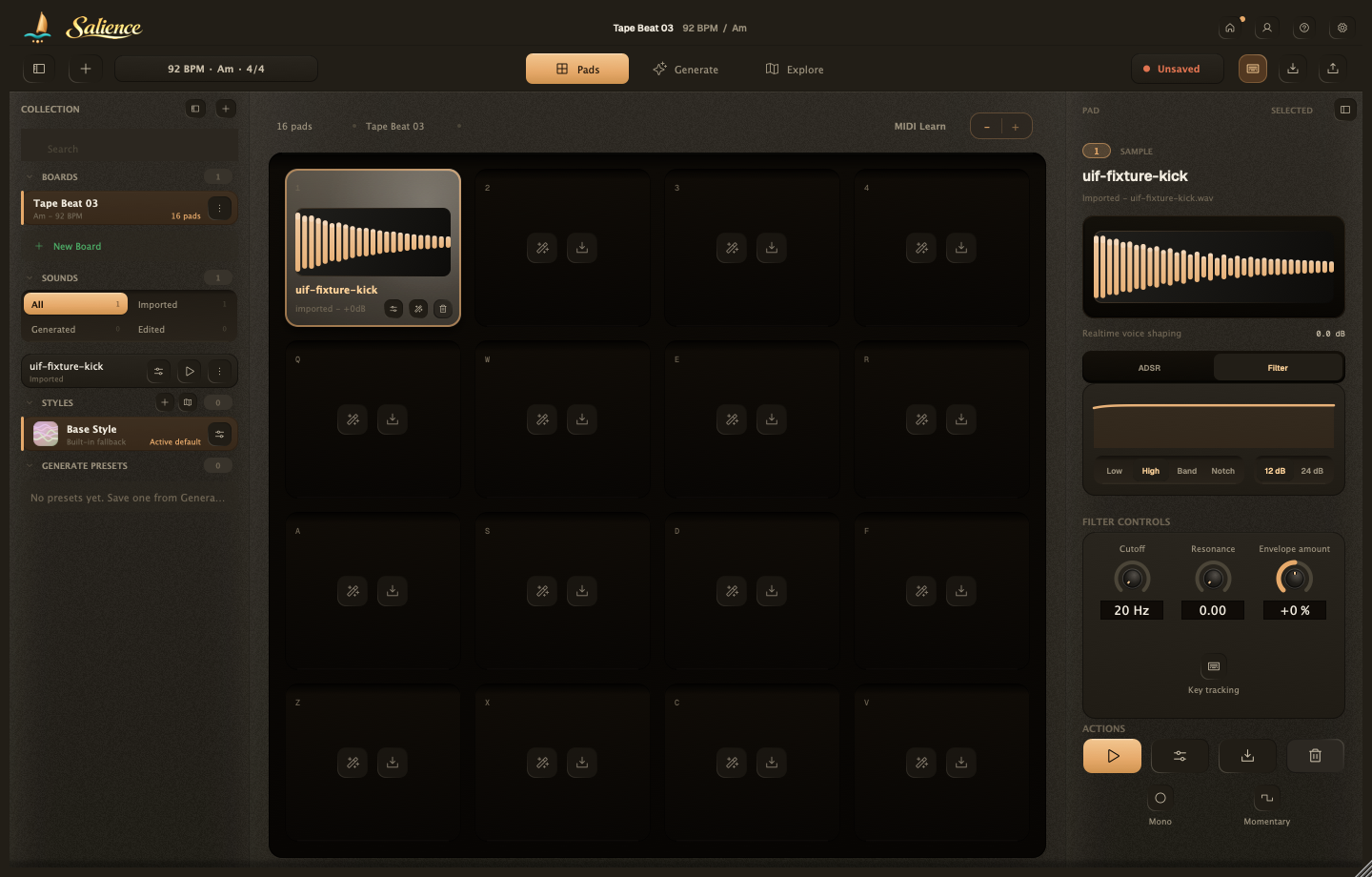
Shape a loaded pad from the Pad inspector, while you're on Pads. Load a sound from your Library or make a new one first, see Make a sound.
Salience
ADSR tab
Four points: Attack, Decay, Sustain, Release. Matching knobs: Gain, Attack, Decay on top; Sustain, Release, and Transposition (-12 to +12 semitones) below.
Filter tab
Pass type: Low, High, Band, Notch. Slope: 12 dB or 24 dB.
- Cutoff (20 Hz to 20 kHz)
- Resonance (0 to 1)
- Envelope amount (-100 to +100), moves the cutoff with the ADSR envelope
Turn on Key tracking to have the cutoff follow Transposition.
Playback options
Mono folds to mono. Momentary: Hold plays only while held; Play through plays to the end.
Salience saves your tweaks as part of the Board automatically, more on that in Boards and pads.