Library
The Library tab is your full sound collection, beside your current Board's pads.
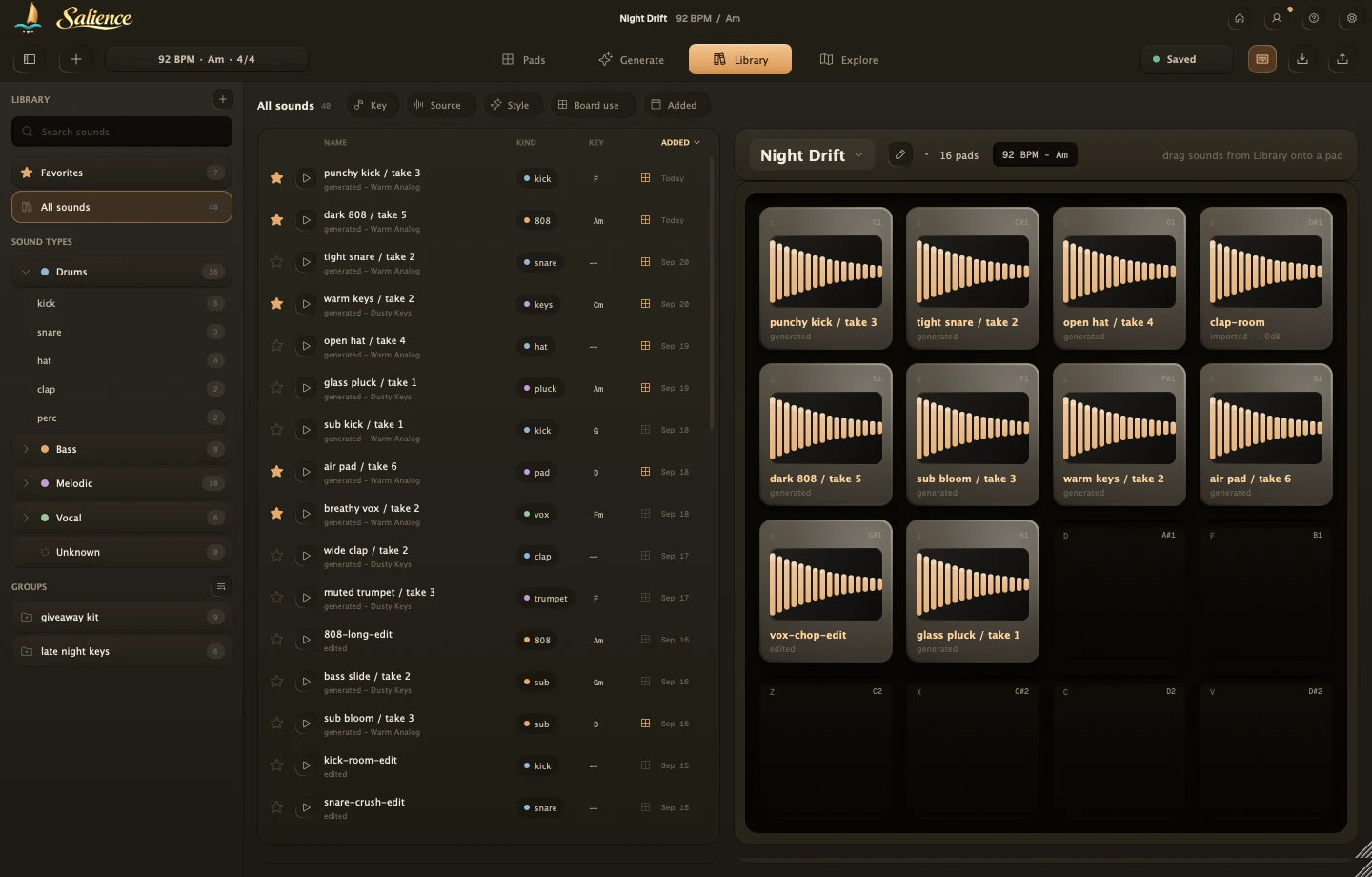
The Collection sidebar on Pads still handles Boards, Styles, and presets; its import button loads one file straight onto the selected pad. The Library tab is different: it adds sounds to your Library and tags them automatically. Any sound you keep from Generate lands here too, see Make a sound for how that happens.
Browse by scope
- All sounds
- Sound types: Drums, Bass, Melodic, Vocal, with sub-kinds
- Unknown
- Favorites
- Groups: custom, made by you
Search and filter
Search matches names. Filter chips: Key, Source, Style, Board use, Added. Sort by Name, Kind, Key, or Added.
Import
Click the + next to the Library header, pick files or a folder (WAV, WAVE, AIFF, FLAC, MP3). This only adds to your Library; it won't load onto a pad until you drag it there.
Put a sound on a pad
Drag from the list onto a pad. A pad that already has something gets replaced, and Salience tells you what it swapped out. From there, shape it in Filter and voice controls.